

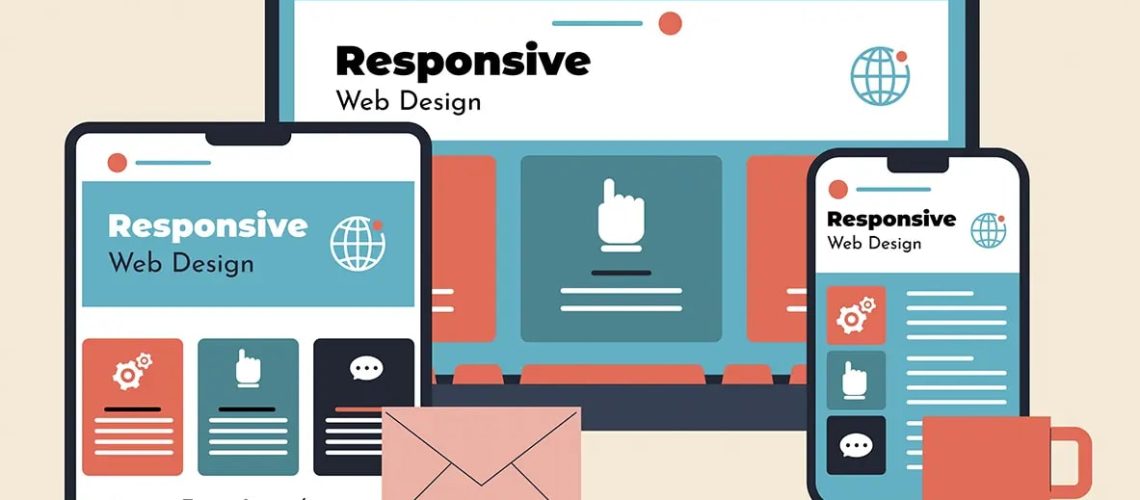
Responsive web design has become a fundamental requirement in today’s digital landscape. With users accessing websites through smartphones, tablets, laptops, and desktops, businesses must ensure their websites adapt seamlessly to all screen sizes. A responsive website not only improves user experience but also boosts engagement, search engine rankings, and overall business performance.
Understanding responsive web design best practices is essential for creating websites that are functional, visually appealing, and accessible across all devices. Modern web design focuses on flexibility, speed, usability, and consistency to meet evolving user expectations.
What Is Responsive Web Design?
Responsive web design is an approach that allows a website to automatically adjust its layout, content, and functionality based on the screen size and device being used. Instead of building separate websites for different devices, a single responsive design ensures a consistent experience for all users.
Key goals of responsive design include:
- Seamless user experience across devices
- Flexible layouts and images
- Easy navigation
- Faster loading performance
- Consistent branding and design
Mobile-First Design Approach
One of the most important best practices is adopting a mobile-first design strategy. Since most users access websites through mobile devices, designing for smaller screens first ensures better usability and performance.
Mobile-first design focuses on:
- Simple and clean layouts
- Essential content prioritization
- Touch-friendly navigation
- Fast-loading elements
- Minimal distractions
Once the mobile version is optimized, the design is scaled up for larger screens.
Use Flexible Grid Layouts
Flexible grid systems are essential for responsive design. Instead of fixed-width layouts, flexible grids allow elements to resize proportionally based on screen size.
Benefits of flexible grids include:
- Consistent layout structure
- Better adaptability across devices
- Improved content alignment
- Enhanced visual balance
This approach ensures that the website maintains structure and readability on all screen sizes.
Optimize Images for All Devices
Images play a major role in web design but can significantly affect loading speed if not optimized properly. Responsive websites use adaptive image techniques to ensure fast performance without compromising quality.
Best practices for images include:
- Using compressed image formats
- Implementing responsive image sizes
- Using scalable vector graphics (SVG) when possible
- Lazy loading for better performance
Optimized images improve both user experience and SEO performance.
Ensure Fast Loading Speed
Website speed is a critical factor in user satisfaction and search engine rankings. Slow-loading websites often lead to higher bounce rates and reduced engagement.
To improve speed:
- Minimize CSS and JavaScript files
- Use browser caching
- Optimize server performance
- Reduce unnecessary plugins
- Compress media files
A fast website enhances usability across all devices.
Prioritize Mobile Navigation
Navigation should be simple and intuitive, especially on smaller screens. Complex menus can frustrate users and reduce engagement.
Effective mobile navigation includes:
- Hamburger menus for compact design
- Clear menu labels
- Easy-to-access buttons
- Minimal clicks to reach content
- Sticky navigation bars when needed
Good navigation improves usability and helps users find information quickly.
Use Responsive Typography
Text readability is crucial in responsive design. Fonts should adapt smoothly to different screen sizes without affecting readability or layout.
Typography best practices include:
- Using scalable font units (like em or rem)
- Maintaining proper line spacing
- Ensuring contrast between text and background
- Adjusting font sizes for mobile screens
Clear typography improves user experience and content accessibility.
Design Touch-Friendly Interfaces
Since mobile users interact through touch, websites must be designed with touch-friendly elements in mind.
Key considerations include:
- Adequate button spacing
- Large clickable areas
- Avoiding small links or icons
- Smooth scrolling interactions
Touch-friendly design reduces user frustration and improves usability.
Test Across Multiple Devices
Testing is essential to ensure responsive design works correctly across different screen sizes and browsers.
Testing should include:
- Smartphones (iOS and Android)
- Tablets
- Desktop screens
- Different browsers (Chrome, Safari, Firefox)
Regular testing helps identify and fix layout or performance issues early.
Maintain Consistent Branding
A responsive website should maintain consistent branding across all devices. This includes colors, typography, logos, and overall design style.
Consistency helps:
- Strengthen brand identity
- Build trust with users
- Improve recognition
- Create a unified experience
Even though layouts may change, the brand identity should remain stable.
Optimize Content for Readability
Content structure is a key part of responsive design. Users should be able to read and understand content easily on any device.
Best practices include:
- Using clear headings and subheadings
- Breaking content into short paragraphs
- Highlighting key points
- Using bullet points for clarity
- Avoiding cluttered layouts
Well-structured content improves engagement and comprehension.
Avoid Heavy Design Elements
Overly complex designs can slow down performance and reduce usability on mobile devices. A clean and minimal approach works best for responsive websites.
Avoid:
- Excessive animations
- Large unoptimized files
- Cluttered layouts
- Unnecessary pop-ups
Simplicity improves speed and user experience.
Use CSS Media Queries Effectively
CSS media queries are essential for responsive design. They allow developers to apply different styles based on screen size and device type.
Media queries help:
- Adjust layouts for different screens
- Change font sizes and spacing
- Hide or show specific elements
- Improve overall responsiveness
Proper use of media queries ensures smooth adaptability across devices.
Improve Accessibility for All Users
Responsive design should also focus on accessibility to ensure all users can navigate the website easily.
Accessibility practices include:
- Proper color contrast
- Keyboard navigation support
- Screen reader compatibility
- Clear visual hierarchy
Accessible design improves usability for a wider audience.
The Future of Responsive Web Design
Responsive web design continues to evolve with new technologies and user expectations. Future trends focus on smarter, faster, and more personalized experiences.
Emerging trends include:
- AI-driven adaptive layouts
- Advanced mobile-first frameworks
- Voice-based navigation support
- Progressive web apps (PWAs)
- Dynamic content personalization
These innovations will further improve user experience and performance.
Understanding responsive web design best practices is essential for creating modern, user-friendly, and high-performing websites. A responsive website ensures seamless experiences across all devices while improving engagement, SEO performance, and brand credibility.
By focusing on mobile-first design, flexible layouts, optimized performance, and user-friendly navigation, businesses can build websites that meet today’s digital demands and support long-term growth in an increasingly mobile world.


